



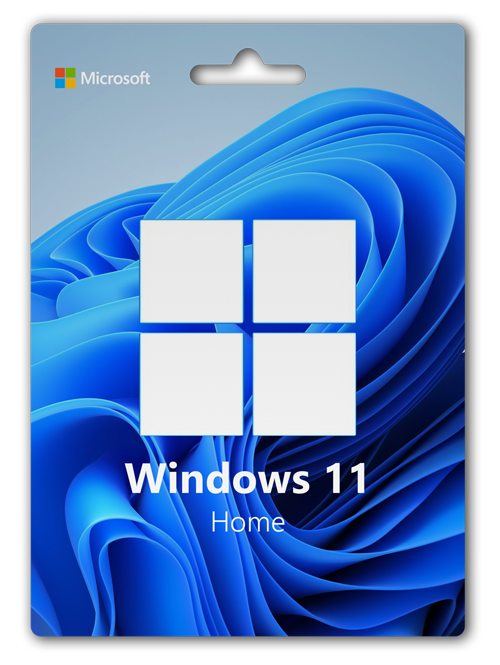
Windows 11 Home License Key
Original price was: $8.36.$6.27Current price is: $6.27.
-
Instant DeliveryEmail within ~1 min after payment.
-
Lifetime LicenseAll updates included.
-
ComplianceWindows 11 Home 32/64Bit.
-
Easy ActivationStep-by-step installation guide.
Windows 11 Home License
Operating systems are software used to increase the efficiency of computers. As computer technologies develop, these software also develop and are offered to users. Windows 11 home is the most up-to-date and high-level security software among these software.
To install this operating system, you must first install Windows 11 2004 ISO. For this, using Windows’ own site or reliable sources will better ensure your security. You can download Windows 11 from this link.
The total setup process will take about 30 minutes depending on the performance of the devices, after which you will be asked to enter a key.
The Windows 11 home key you have is used to activate the operating system. If you don’t, your computer will be vulnerable to external threats and will stop offering all its features.
The Windows 11 home license we offer you is a license number valid in all countries. After you place the order, it will be sent to your e-mail address in a short time and is ready for immediate use. The license, which is suitable for 32 and 64-bit Windows 11 versions, offers individual use for 1 computer.
Product Specification
- 🚀
Instant Delivery: After payment, Windows 11 Home Key will be emailed within 1 minute.
- 💻
Compatibility: Windows 11 Home works seamlessly with all x32 and x64 devices.
- ♾️
Indefinite Use: The license is indefinite, valid for one device.
- ⚠️
Important Notice: It is a one-time license key. A new license is required after formatting or device reset.
Why Should I Choose Windows 11 Home?
Windows 11 Home is the software that works best for this version. It is suitable for use in both homes and workplaces and has the following features specific to workplaces;
Mobile Device Management,Group
Policy,Enterprise
State Roaming with Azure,Microsoft
Store for Business,Assigned
Access,Dynamic
Provisioning,Windows
Update for Business,Kiosk
Mode Setup,Active
Directory Support,Azure
Active Directory Support.
Windows 11 Home key has all the basic features of the operating system. It also offers extra Bitlocker Device Encryption and Windows Information Protection in terms of security. These options, which are not active in the Home version, offer you a better and safer usage experience both in your homes and on your devices.
Protecting personal computers and preventing them from falling into the wrong hands is of great importance for both individuals and corporate individuals. Windows 11 Home license protects you and your information from attacks from digital environments thanks to security measures.
Why Buy Windows 11?
Buy Windows 11 Home is a question that many individual users are pondering. Because in today’s developing internet environment, it is possible to find everything, and this includes the keys to operating systems.
However, cracked operating systems do not only cause you to not benefit from Windows Updates enough. Even if you install Anti-Virus software, if you are using a cracked device, your information will be leaked and will cease to be private. Therefore, none of your information will remain “private and confidential”.
However, if a licensed key is used for Windows 11 Home activation, none of these problems will be experienced and you will be offered a more secure system. This will make your computers safer against viruses and malware.
How to Activate Windows 11?
If you have formatted Windows 11 Home, you will be asked for the key number at some point during the format. The key number you receive from us is entered here. You don’t need to put a line between them; Because these are set automatically.
However, by passing this screen, you also have the opportunity to activate Windows 11 Home after installation. To do this, first access the “start” menu by pressing the Windows key on your computer. Then go into the settings and enter the update and security menu.
Looking at the menu on the right, open the “activation” section from here. Scroll to the bottom of the page and click on “change product key”. On the screen that appears, enter the Windows 11 Home license and select the “next” button. Then use the “activate” button.
Activation will be completed shortly. Then it is possible to start using your computer by starting it from the beginning. You can buy it immediately through our site, which provides you with the original license key upon purchasing Windows 11 Home.
Windows 11 Home License Does Its Job Well
Windows 11 Home Key combines great innovations that you’ll love with the Windows you already know. Technologies like InstantGo1 allow you to quickly turn on your computer and pick up where you left off. Windows 11 also has more built-in security features than ever to help protect against malware.
Multiple jobs at the same time
Master multitasking with the ability to pin four jobs to the same screen at once. Is the screen starting to get crowded? Create a virtual desktop to get more space and work only with the items you want. Plus, all your notifications and important settings are gathered on one easy-to-reach screen.
With Windows 11 Home, you have a great business partner. It has all the features of Windows 11 Home, plus important business functions for encryption, remote login, creating virtual machines, and more.
Get quick start-ups, a familiar yet expanded Start menu, and cool new ways to get things done, as well as innovative features like an all-new browser designed for online action and Cortana, the more personal digital assistant.
Windows 11 Home license prices are an intriguing topic for people who love the Windows operating system.
As a matter of fact, the high prices for people who research these prices push some of these people to use it without a license, and when this is the case, people need to do their unlicensed installations with the Windows 11 Home key.
Office 2019 is one of the most up-to-date versions of Office products and the need to purchase an Office 2019 license is as high as in Windows 11. Office license prices are the same as Windows operating systems.
When the version is new, the price also increases. When the version gets old, the price also decreases.
Although Microsoft’s latest operating system, Windows 11 Home, is high in terms of license price, it is known as the most preferred operating system due to the high number of people using it without a license.
Windows 11 Home key is available on many sites on the internet; but the vast majority of them do not work.
Running keys also allow there to be a security vulnerability in the operating system on your computer. Therefore, you should buy a special license for yourself.
After installing the operating system, it is necessary to obtain a license for Office and Adobe products. A license is required for Office 2019 license use. Although Office license fees are known to be expensive, it is sometimes possible to have these products at very low prices with the campaigns organized.
Related products
Windows 11 Pro Digital License Key OEM Key
Reviews
There are no reviews yet.